


You've downloaded the crypto wallet Cropty Wallet and are asking yourself: "Where do I start? How do I use it safely and conveniently?" Many beginners think a crypto wallet is something complicated, available only to the chosen few. But in fact, Cropty Wallet is designed so that even a newcomer can figure out all the features in just a couple of minutes. Read this article and see for yourself!
We have a separate video on how to use crypto wallet. Watch it to clarify all the details:
How to install Cropty Wallet and register
Installing Cropty Wallet takes no more than a minute. The app is available on Android, iOS devices, and it also has a web version, which lets you use the wallet right in your browser without needing to download the app.
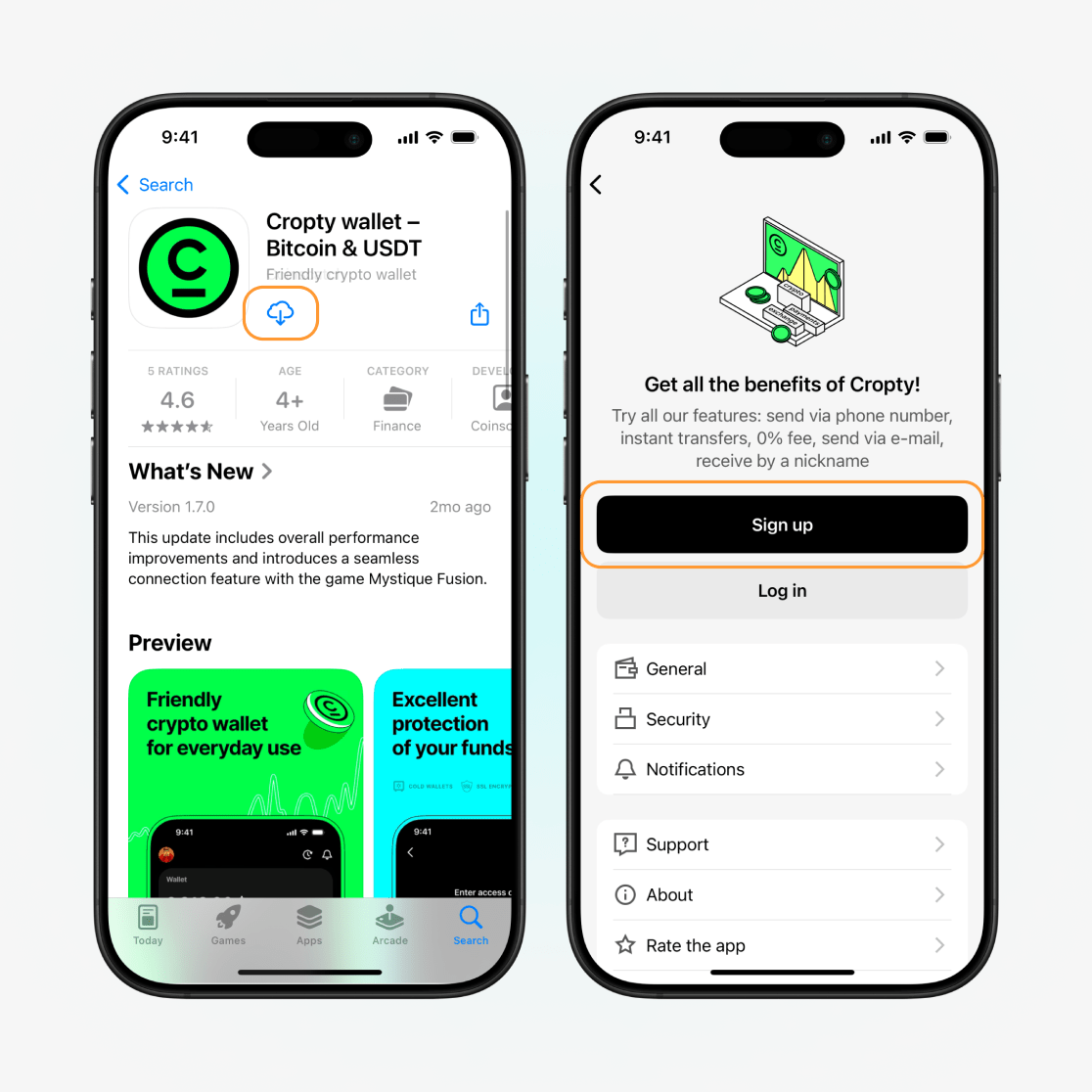
First of all, before you start using the wallet, you'll need to download it (using the app is recommended) and complete a quick registration.
Here's what you need to do to install the wallet on your device:
Go to the App Store or Google Play and download Cropty Wallet.
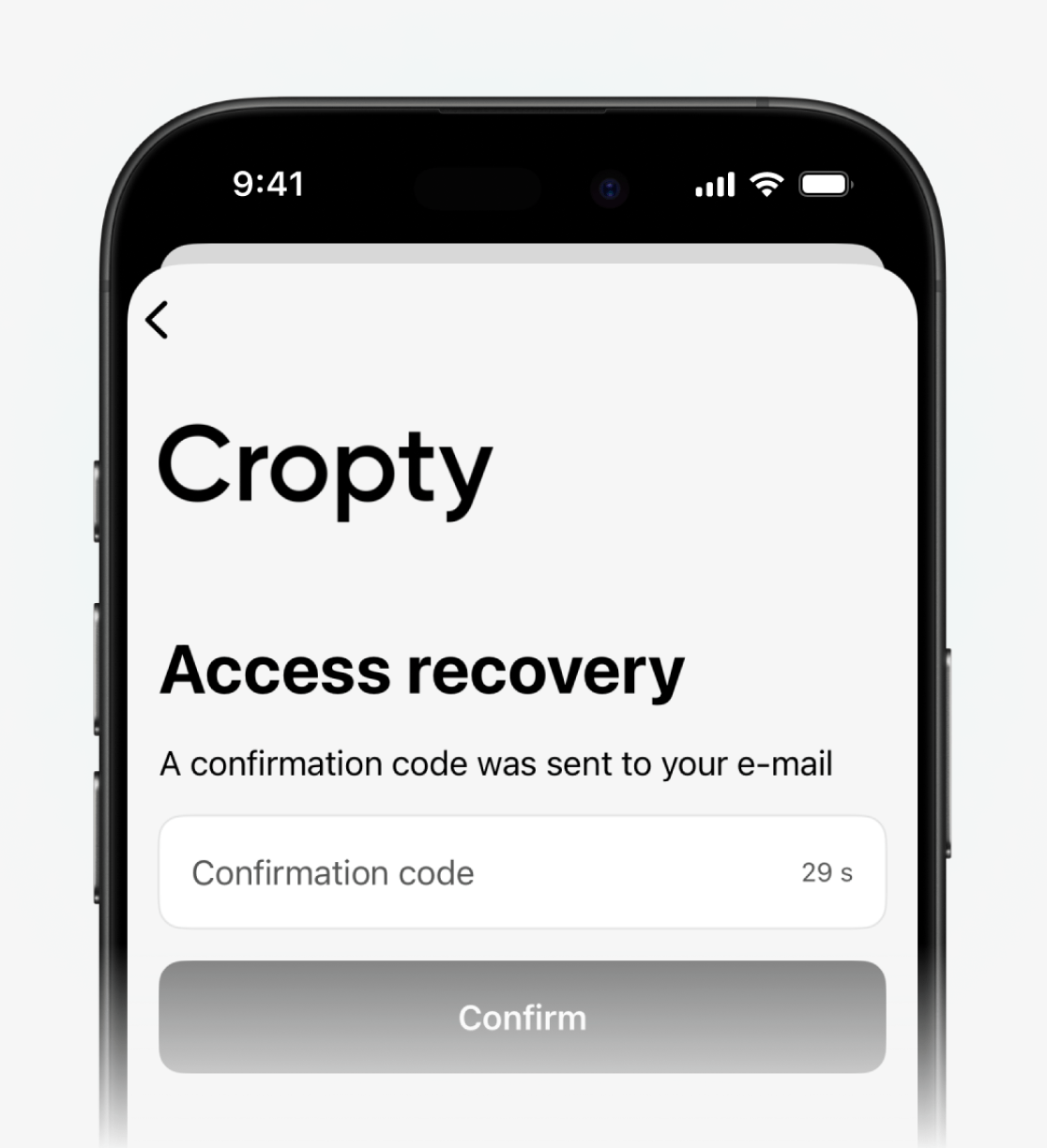
A distinguishing feature of Cropty Wallet is that you don’t need to create a seed phrase (a special sequence of 12 words) to later restore access to your account if it is lost for any reason. Instead, account recovery uses a more convenient model — recovery via a verification code. You will be able to obtain it if you lose access to your account.
To restore access, you’ll only need to enter this code into the corresponding box — that’s it!
Read our detailed article on how to install and configure a wallet, to learn all the details.
Cropty Wallet interface and main sections
After creating a wallet, you are taken straight to the main screen. It is designed to be as simple as possible. There are no unnecessary tabs, as is often the case on exchanges.
On the main screen you'll see balances in various currencies: Bitcoin, Ethereum, stablecoins, and others. Three main sections are also available here: Receive, Buy, and Send assets. The main screen also includes the "Earn" and "Cryptoloan" sections.
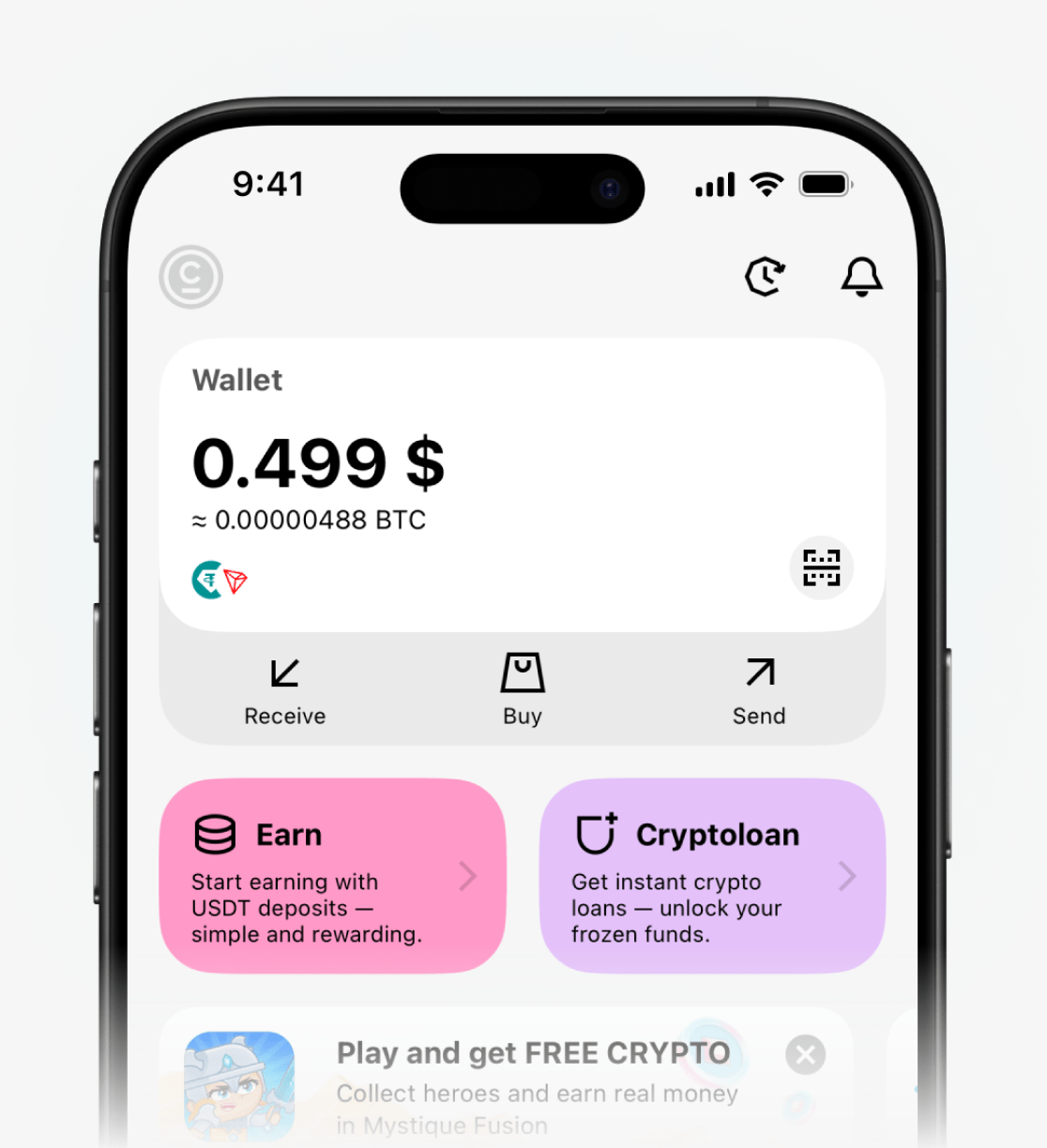
The "Wallet" section shows your funds. You can also scroll down the list of coins to view all assets in your balance.
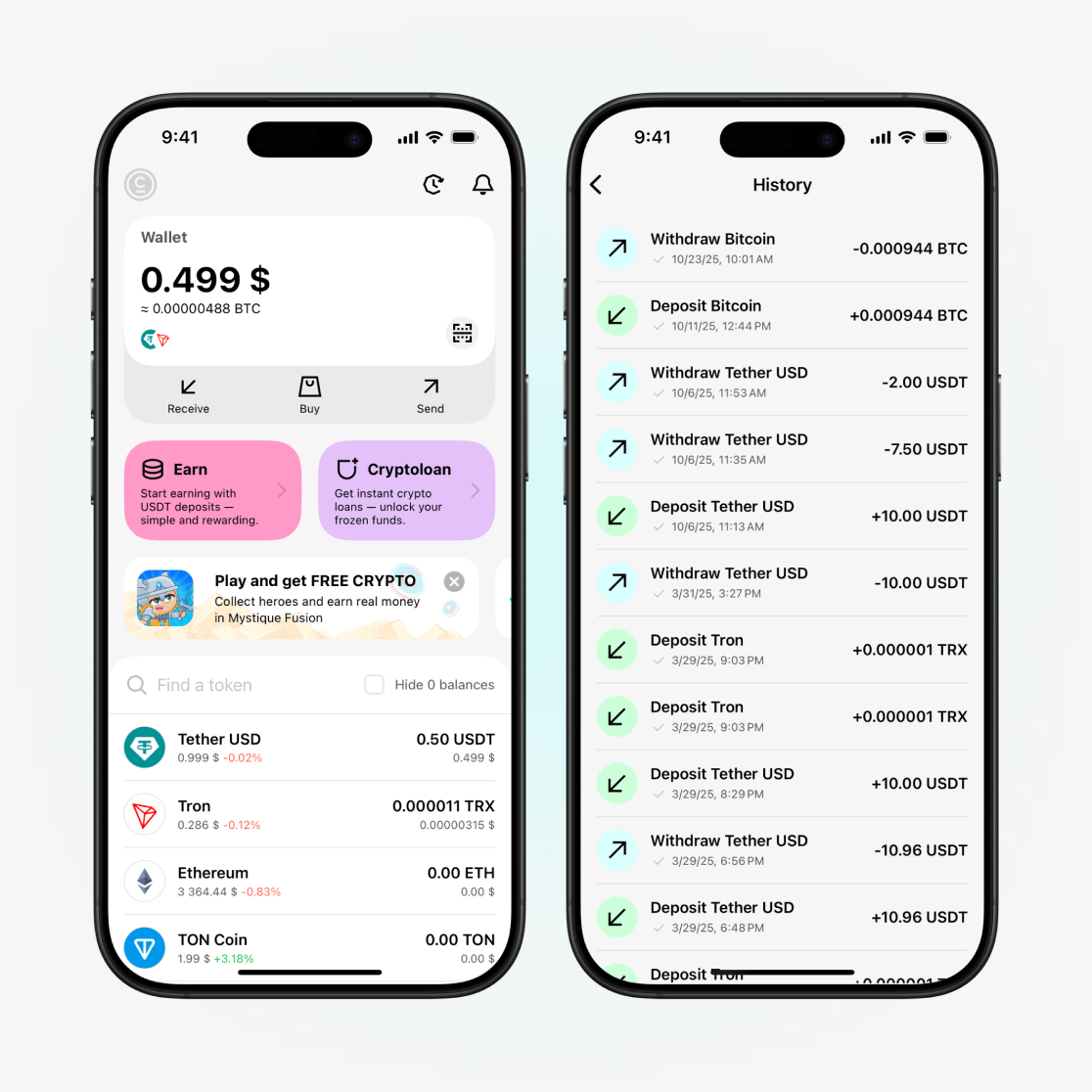
To view your transaction history, click the corresponding icon in the top right corner of the screen. Here you can see all transactions that were made using your wallet.
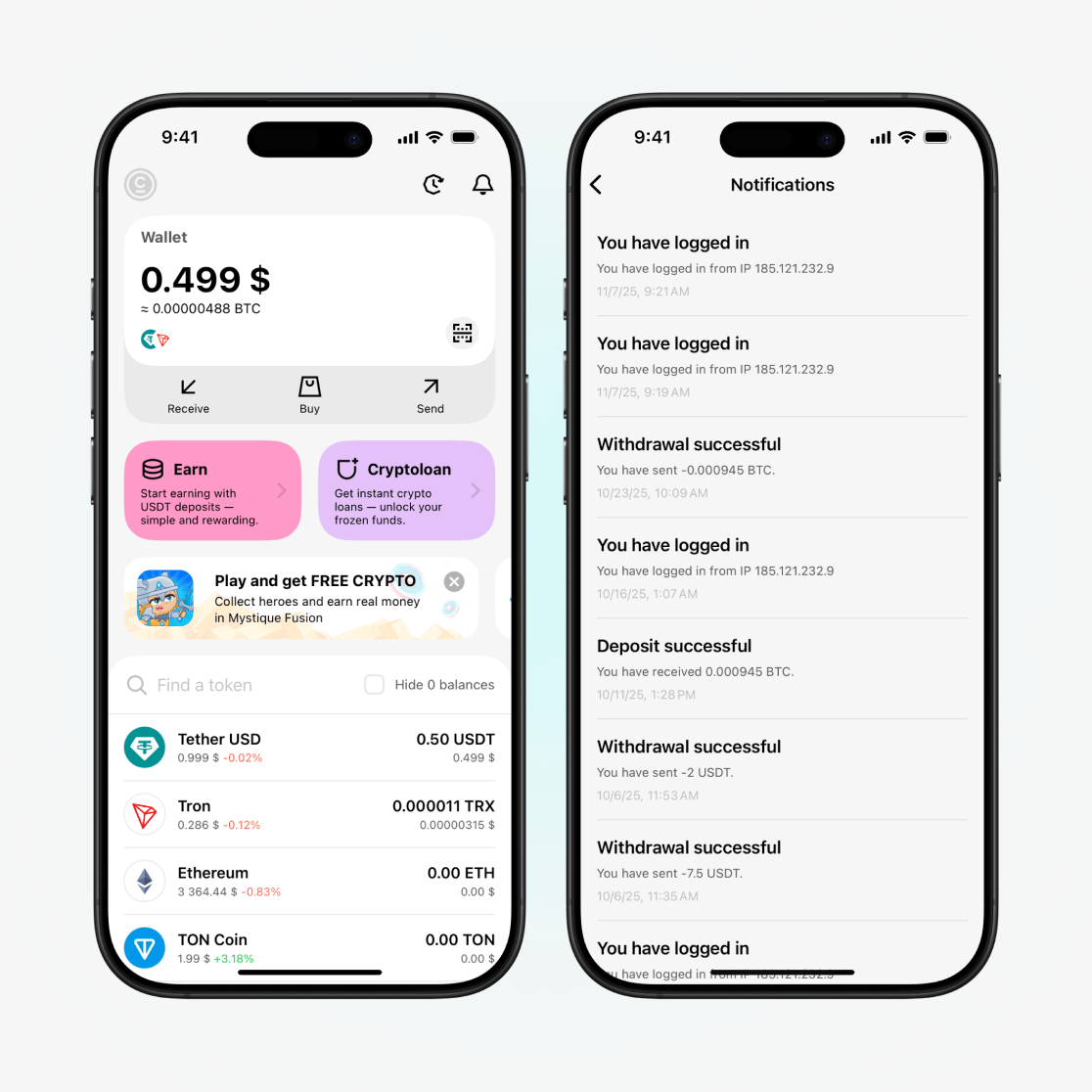
To check notifications, click the corresponding icon in the top right corner of the screen. This section contains the history of all notifications you have received: messages about account logins and transfers.
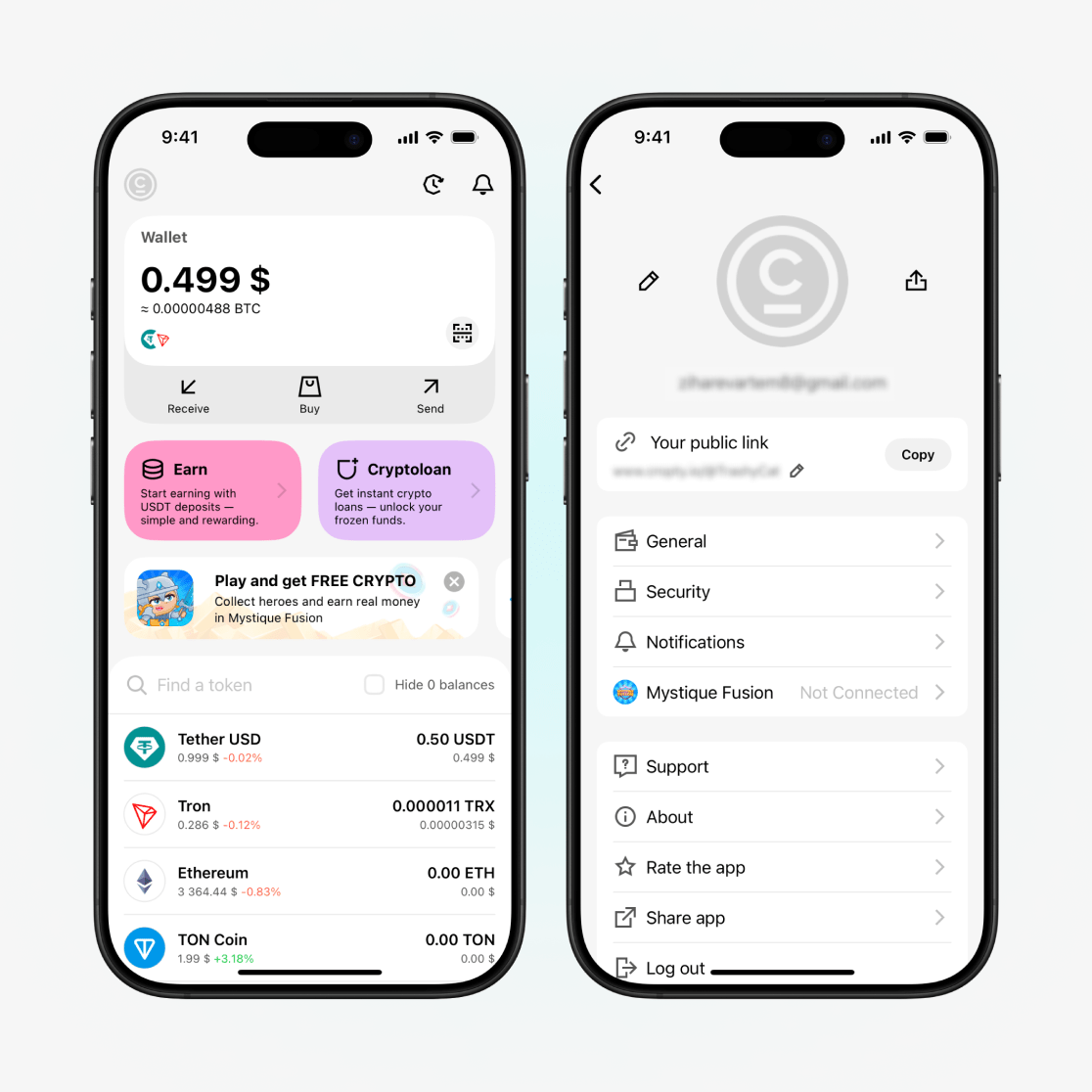
Go to your account settings by clicking the corresponding icon in the top left corner of the screen. Here you can turn notifications on or off, enable biometric protection (Face ID, fingerprint in the Security section), change the language, and review other general settings. You can also contact support through the settings.
When the main buttons, such as "Receive", "Send" and "Buy", are on the main screen, the wallet becomes easy to use because all functions are laid out intuitively. All you have to do is choose the action you need.
How to receive and send funds in Cropty Wallet
Receiving and sending cryptocurrency in Cropty Wallet is done in two ways: via an external transfer to a network address or via an internal transfer using a username, phone number, or email of a Cropty Wallet user. This approach allows the wallet to be used as a tool for everyday, cost-effective transactions.

If you plan to use cryptocurrency frequently: transfer it, buy it, or receive it from exchanges or exchange services, we recommend reading a separate article on how to receive and send funds in Cropty Wallet.
This will help you better understand when you should transfer using a network address and when to use a nickname, phone number, or email. You’ll also learn how to avoid losing funds by choosing the wrong network and how to properly receive cryptocurrency.
How to buy cryptocurrency
To buy cryptocurrency using Cropty Wallet:
In the Cropty Wallet app, on the main screen select "Buy."
In the popup window, select your country and cryptocurrency, and enter the amount you are willing to pay.
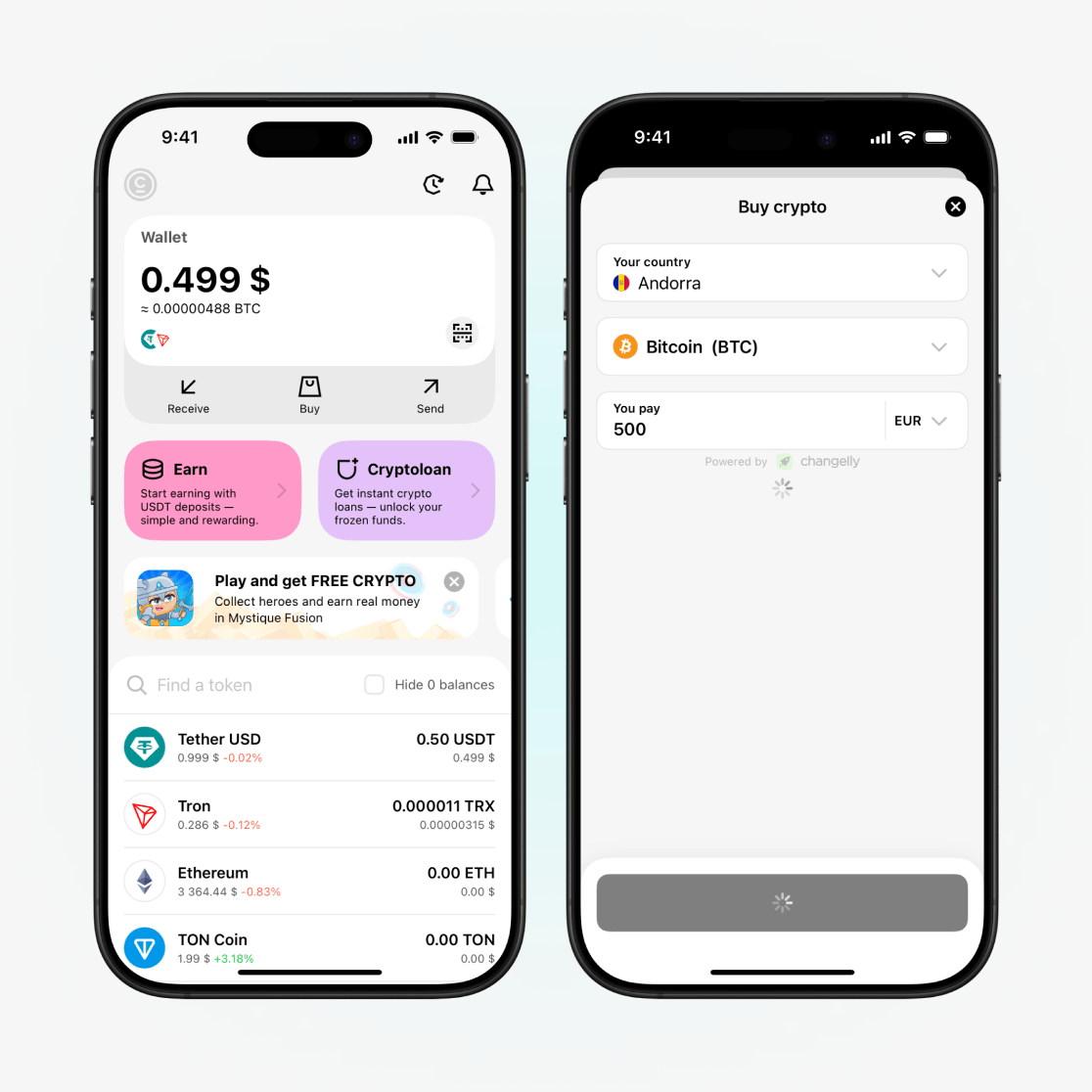
Cropty Wallet will assess and offer a range of reliable services where you can make a purchase.

At the bottom you can select a payment method and review all the details, after which you'll only need to click "Buy".
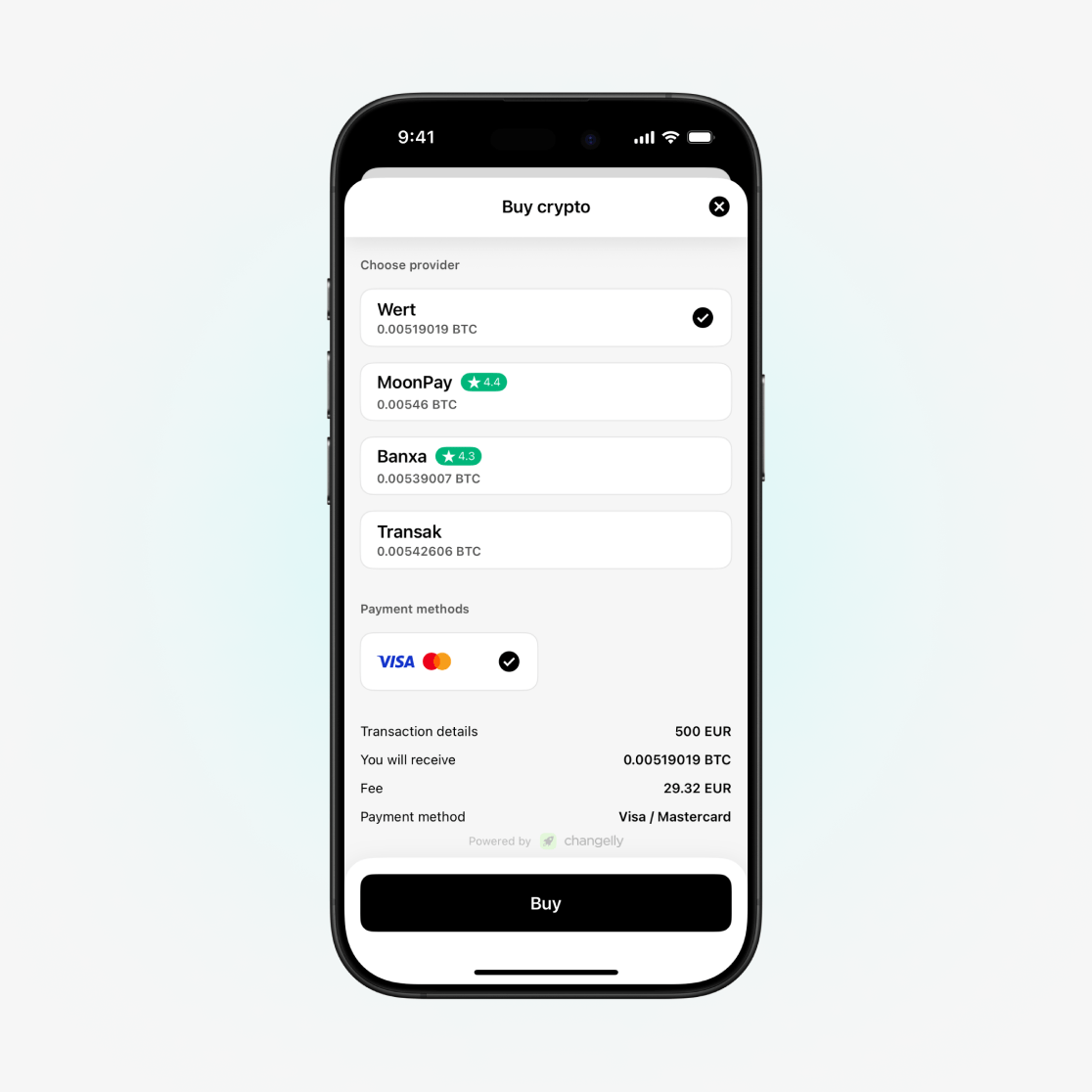
You will be redirected to the service page. Next, you will need to double-check all information or enter some additional details. Sometimes services will require verification (confirming your phone number or completing full verification by providing your photo and personal data).
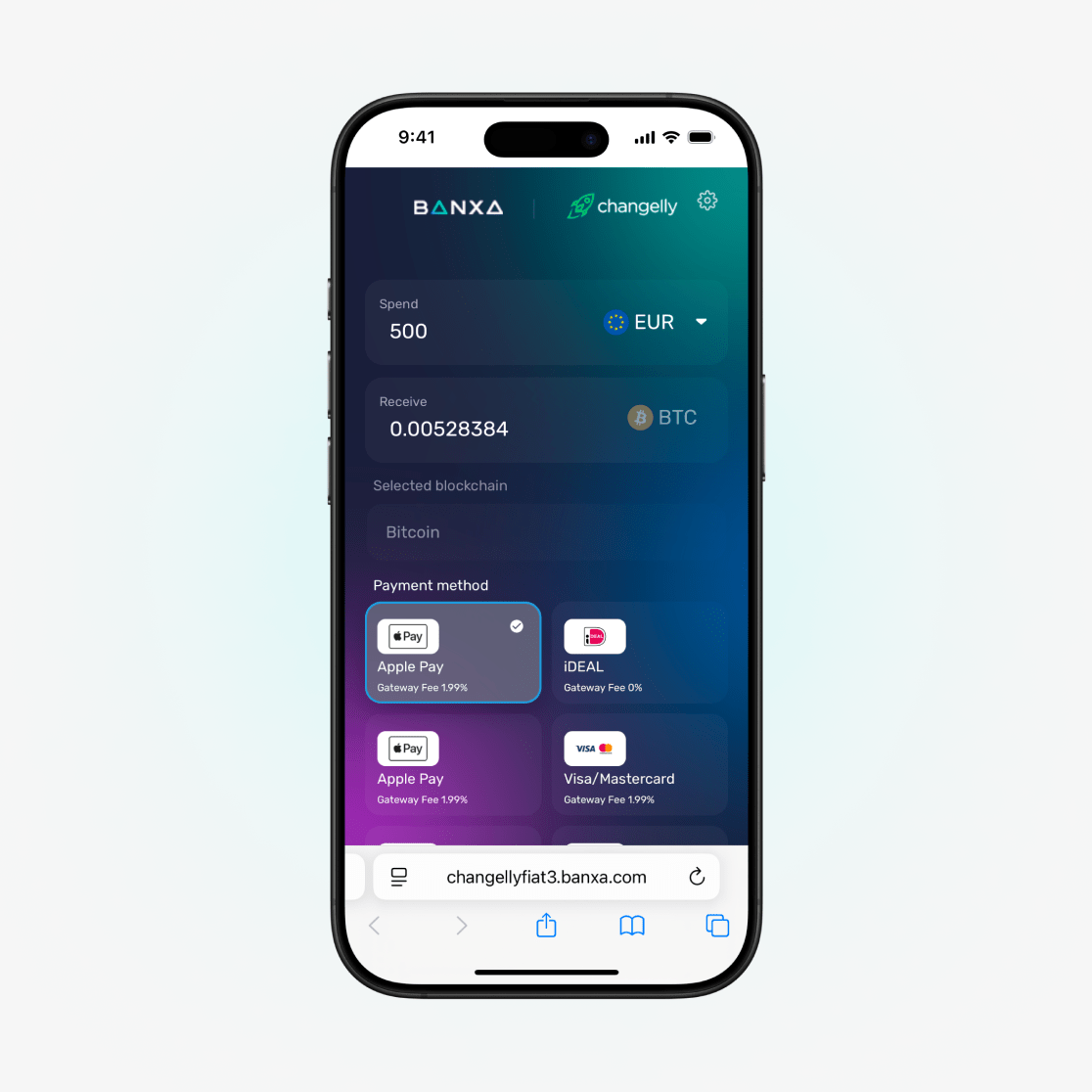
Once everything has been filled out, the buy order will be created.
Upon completion of the transaction, the funds will be credited to your Cropty Wallet balance!
If you want to learn more about the different buying methods and how buying via an exchange, an exchange service, and P2P differs, we've prepared a separate detailed article on buying cryptocurrency. You can read it after this material.
How to get a crypto loan and how to earn passive income
Cropty Wallet also offers two special features: crypto lending and earnings.
We have a detailed article about how to get a crypto loan and about how to earn passive income. Study them to clarify all the nuances.
How to use a crypto wallet safely: key rules
It is critically important to take a responsible approach to managing your assets. A crypto wallet is a reliable tool, but don’t forget the key security considerations:

Verify addresses before transferring
- Always carefully verify all the information you enter. Pay special attention to the recipient's crypto wallet address and memo.
- Use the QR code to avoid errors when copying.
Enable all levels of protection
- Set up Face ID sign-in;
- Add a PIN code to confirm transactions;
- Enable two-factor authentication.
Beware of data theft
- Download the app only from official stores (App Store, Google Play);
- Never enter your details on third-party websites and don't install "unofficial" apps.
Test transfers with small amounts
- Before sending a large amount, it's better to make a test transfer of $1–2.
Update the app
- Cropty Wallet regularly releases security updates and new features;
- Timely updates will protect against potential vulnerabilities.
Conclusion
Cropty Wallet is designed so that any user can easily manage cryptocurrency without having to learn anything complicated. You can receive, send, and store cryptocurrency, and you also have the option to take out a crypto loan or invest your funds to earn passive income.
And most importantly: Cropty Wallet guarantees security! The Cropty Wallet security system is designed so that even if you lose your device, you can easily restore access. In addition, the customer-oriented support service will always help and advise you if you suddenly encounter any difficulties.
Enjoy using Cropty Wallet!